

Limited-Time Offer: 20% OFF! Automate your garage — Get started now!

Task Execution in Auto Service Software

Task Execution in Auto Service Software

Task Execution in Auto Service Software stage begins right after the Check-in process.
Once the vehicle is inspected and the safety control is completed, the service team can move forward with the repair work.

For example, if a customer brings in a car for an oil change or tire replacement, AutoGAPP ensures that every vehicle still undergoes a quick safety inspection — just like in certified service centers or dealerships.
If any serious issues are found, the customer is immediately informed before work begins.

After this initial stage, the service moves into Task Execution, where AutoGAPP’s full functionality comes into play.

What Happens During Task Execution

✅ 1. Creating Job Tasks

Each repair or maintenance job is added as a task in AutoGAPP.
Every task can include the related labor cost and required parts, helping service advisors and technicians organize their workflow efficiently.

✅ 2. Automatic Estimate Generation

AutoGAPP automatically calculates all part prices and labor rates to generate a clear and professional estimate.
This estimate can be shown digitally or printed, allowing the customer to see the full cost breakdown before any work starts.

✅ 3. Customer Approval

Before starting the repair, the customer reviews the estimate and gives approval.
This ensures full transparency — the customer knows exactly what work will be done and how much it will cost.

✅ 4. Task Execution & Progress Tracking

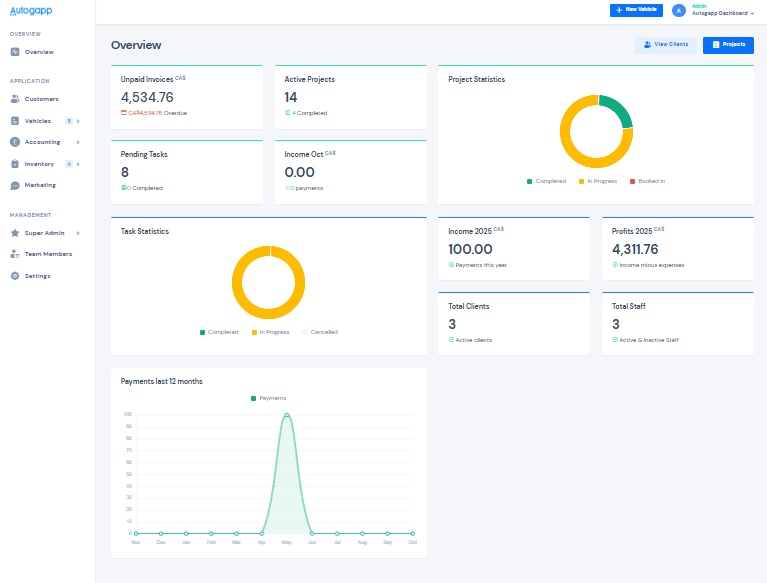
Once the estimate is approved, all assigned jobs move to the In Progress status in the technician dashboard.
Service managers can monitor:

  • which technician is working on which task,

  • what parts are being used,

  • and how much progress has been made in real time.

✅ 5. Status Updates and Reports

As each task is completed, the status automatically updates to Completed.
AutoGAPP logs all data — including time spent, labor cost, and part usage — into comprehensive reports for management and accounting

One Platform for Everything You Do

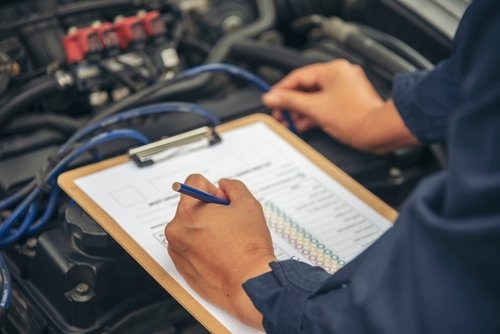
Close,Up,Man,Hands,Fixing,Car,Machinery,Vehicle,Mechanical,Service.
images
Before
After

AutoGAPP Garage Management Software

Why It Matters

With AutoGAPP Garage Management Software, the entire task execution process becomes fast, organized, and transparent. From estimates to completed repairs, everything happens inside one platform. AutoGAPP helps auto service businesses: Create and manage work orders Add parts and labor instantly Send digital estimates for customer approval Track progress and completion of every repair Whether you run a small workshop or a certified service center, AutoGAPP saves time, improves customer satisfaction, and keeps your operations under control.
  • With AutoGAPP Garage Management Software, the entire task execution process becomes fast, organized, and transparent.
    From estimates to completed repairs, everything happens inside one platform.

    AutoGAPP helps auto service businesses:

    • Create and manage work orders

    • Add parts and labor instantly

    • Send digital estimates for customer approval

    • Track progress and completion of every repair

    Whether you run a small workshop or a certified service center, AutoGAPP saves time, improves customer satisfaction, and keeps your operations under control.

Take your mechanic business to the next level with AutoGAPP.
It’s simple, powerful, and built for auto professionals like you. GET A DEMO

Contact Us

Have questions about how AutoGAPP can simplify your garage operations?
Our team is here to help you set up, customize, and grow your auto service business with our all-in-one management system.

Whether you run a garage shop, parts store, or multi-branch auto service, we’ll guide you step by step — from demo setup to full implementation.